效率Productivity
岁时Sundial Sundial岁时
把时间放在看得见的地方 See where you are in time.
- iPhone
- iPad
- Mac
效率Productivity
把时间放在看得见的地方 See where you are in time.
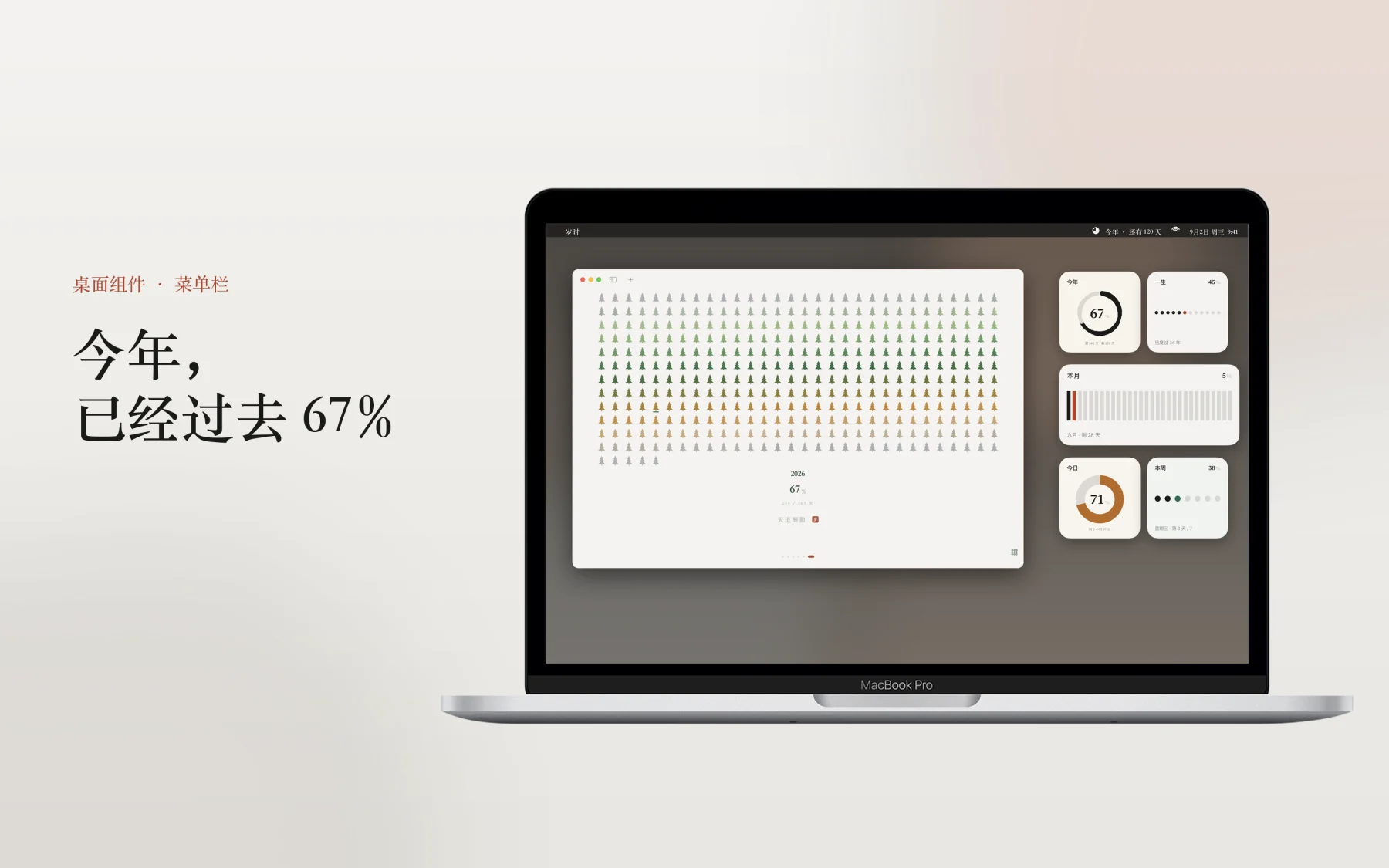
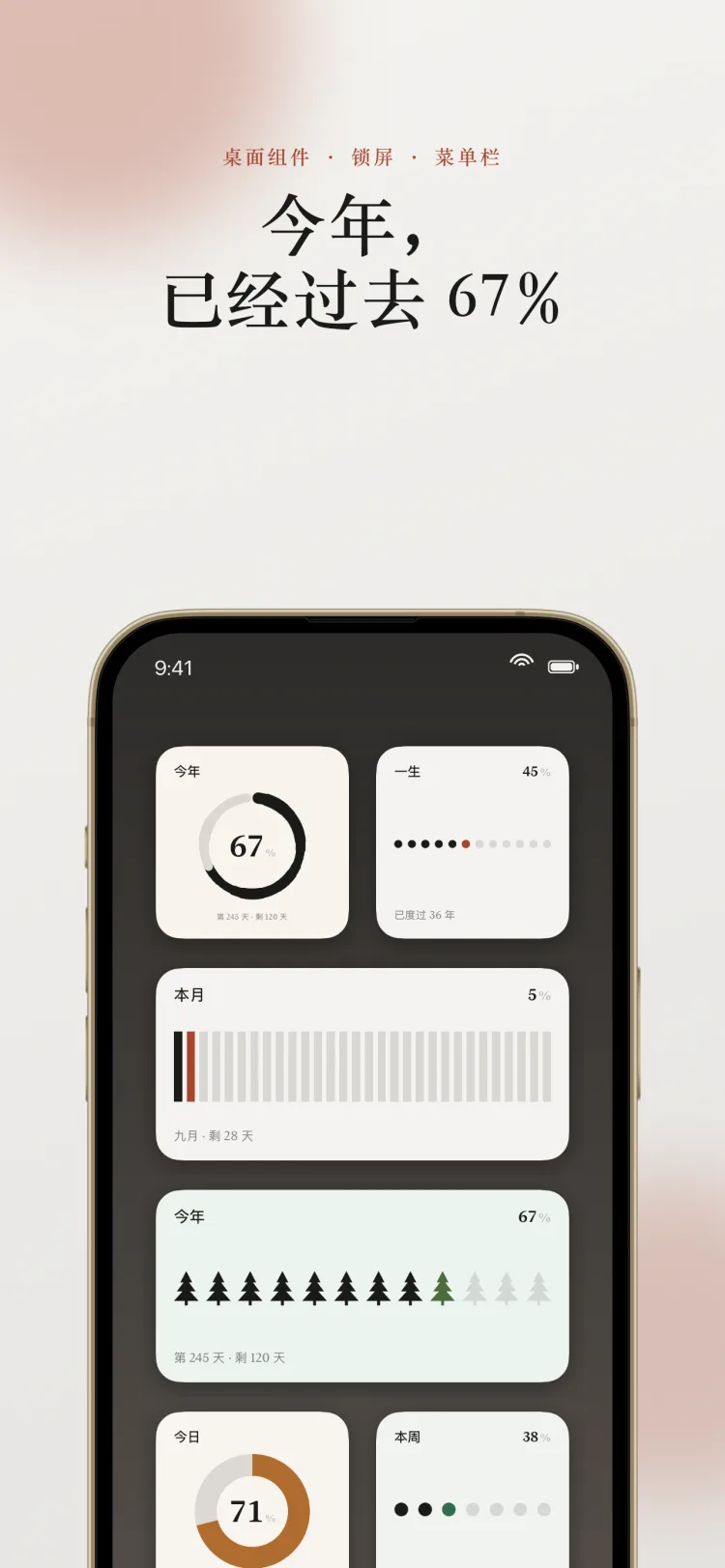
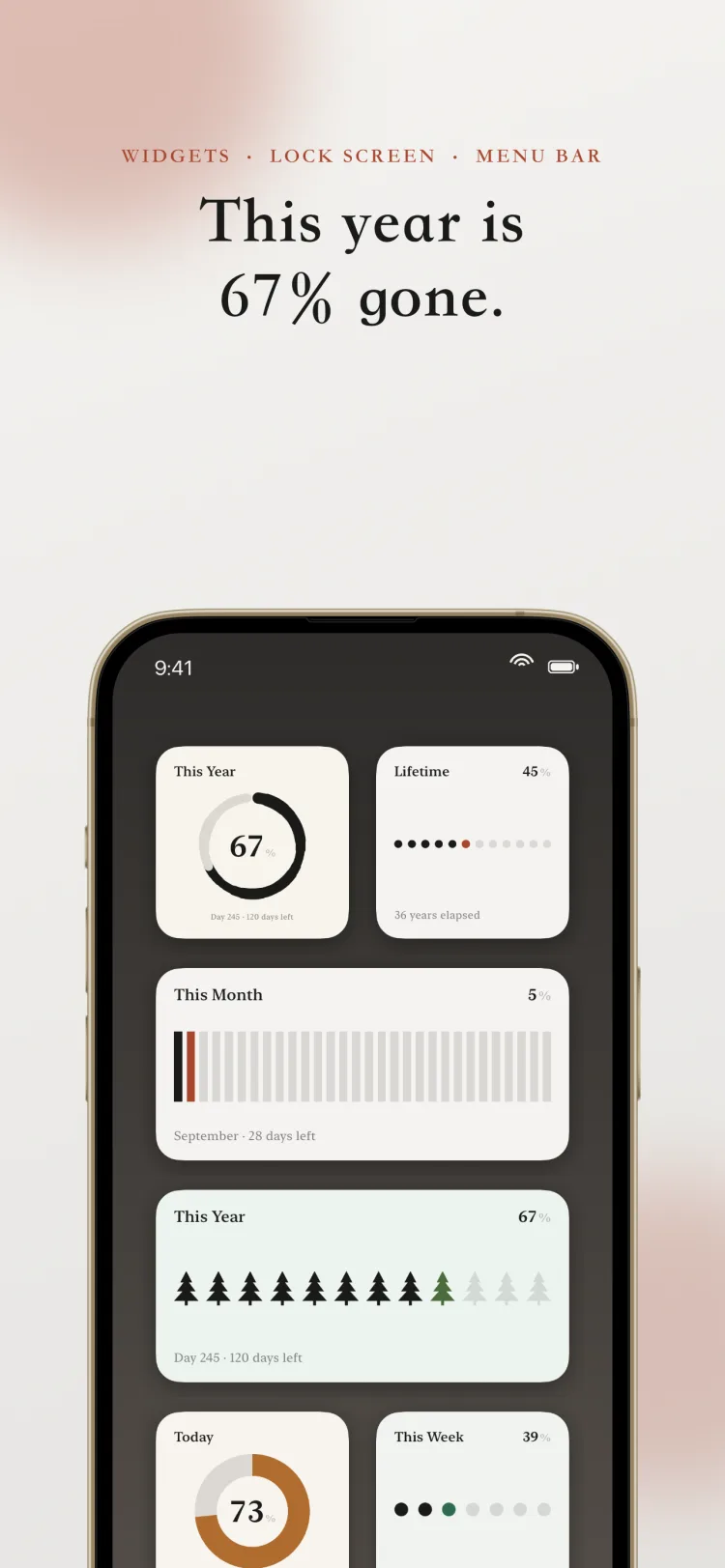
岁时把今天、这周、这个月、今年,还有你的一生,画成一格一格的进度:已经过去的是墨色,此刻是一笔朱红,还没到的是浅灰。不用打开 App,抬眼看一下桌面,就知道自己走到了哪。
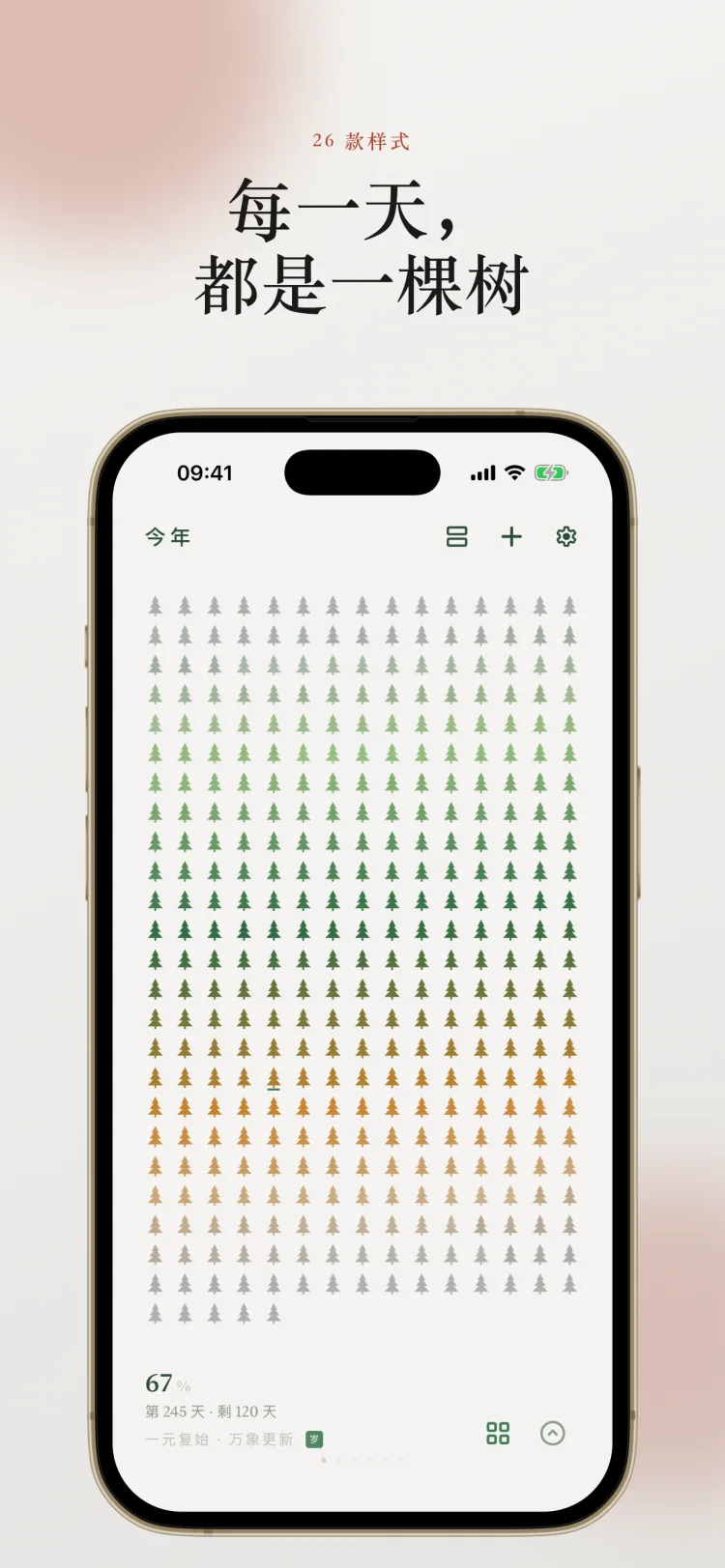
竖条、细条、胶囊、阶梯、圆点、点阵屏、环、刻度环、水墨环、六边、时间轴、霓虹……还有松、竹、梅、叶、山、三叶草、月相、印章这些国风意象。从一根细线到一幅小画,都在同一套纸墨语言里。
配色分通用、国风、夜、M3、对比五个系列,也能自己调底色和强调色。二十多款字体可选,图形的线条粗细和端点会跟着字体的气质走。
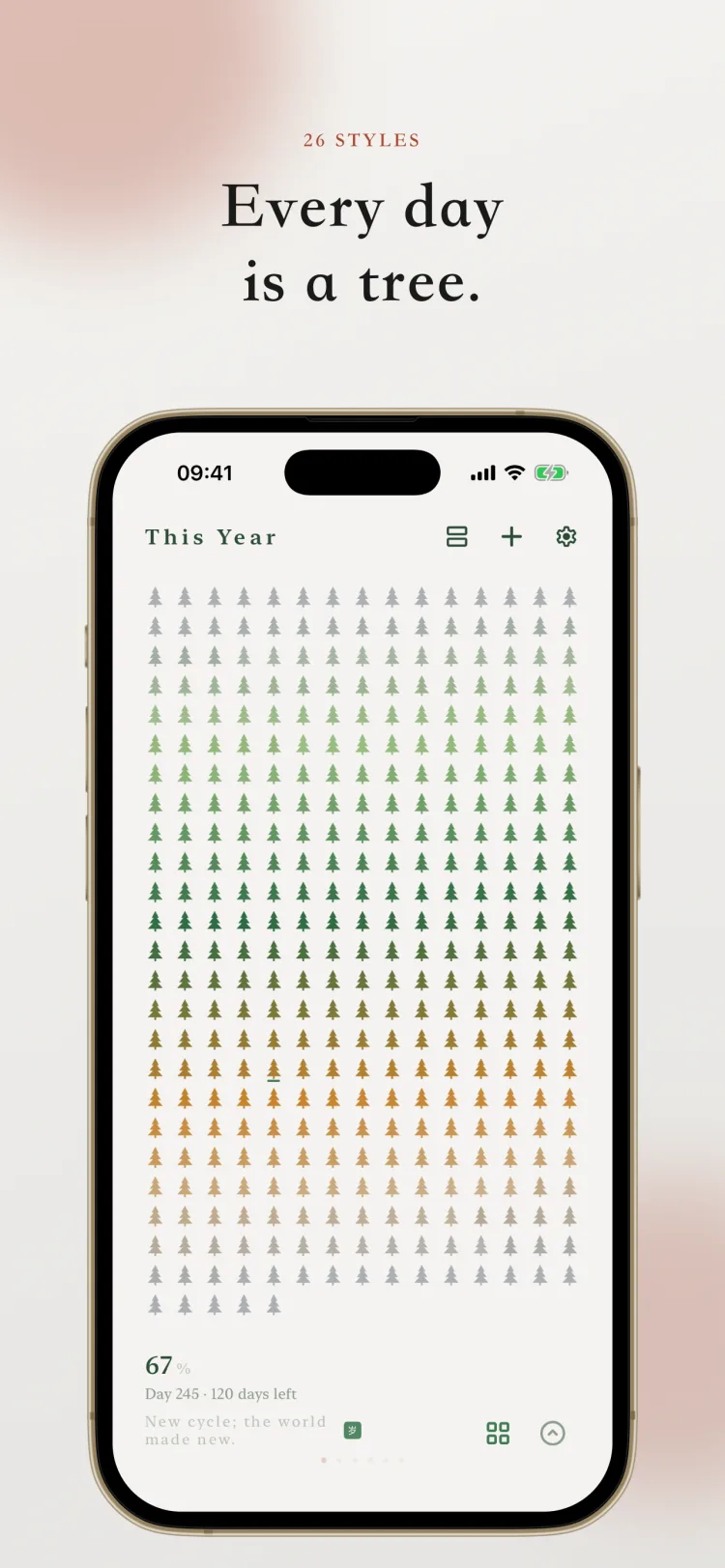
点开任意一项就是整屏的大图:今年可以铺成 365 个点,一个点一天;本月的圆点可以排成一张月历。看到喜欢的样子,一键分享成图片。
每月 1 号早上 9 点,一条不响铃的通知,附一张今年的进度卡片。设置里随时能看今年进度、分享出去,或者关掉提醒。
所有数据只存在本机和你自己的 iCloud 私有库里,开发者看不到,也不收集任何信息。iCloud 同步随时可以开关,换手机、重装,组件都还在。
岁,本指木星。古人看它十二年绕天一周,以它所在的位置纪年,年最初是被看出来的,不是被数出来的。 时,本义是四时,一年里一段一段有名字、有位置的时间。
英文名 Sundial,日晷,人类最早把时间变成看得见的东西的工具。
免费版可以创建三个组件,使用基础样式和全部配色。解锁岁时 Pro 后不限个数,全部样式与 iCloud 同步都可用,iPhone、iPad、Mac 三端通用。
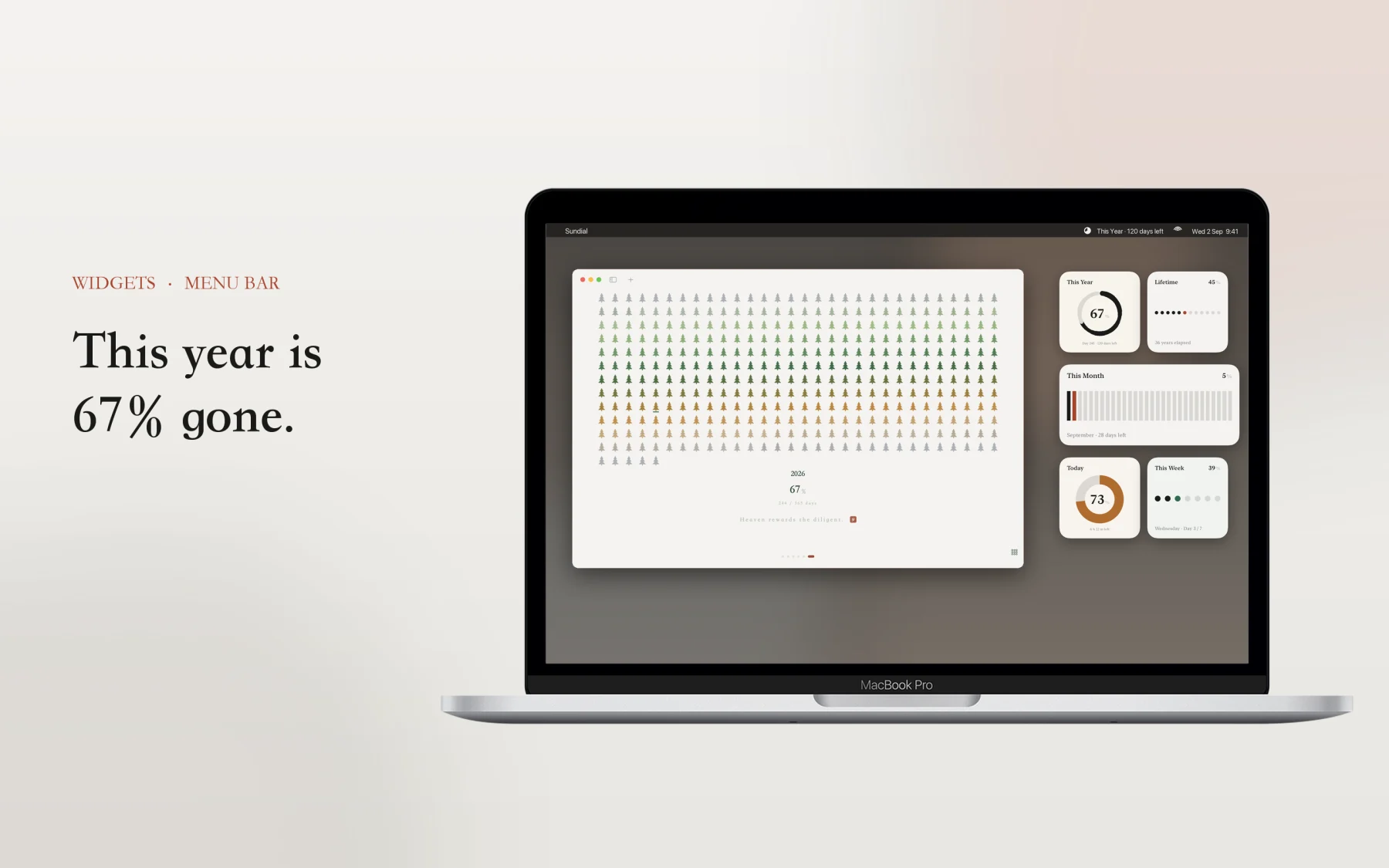
Sundial draws your day, your week, your month, your year and your whole life as rows of marks: behind you in ink, right now in a single vermilion stroke, still ahead in light grey. No need to open the app. Glance at your Home Screen and you know where you stand.
Bars, thin bars, capsules, stairs, dots, dot matrix, ring, tick ring, ink ring, hexagons, timeline, neon, and motifs from Chinese ink painting: pine, bamboo, plum, leaf, mountains, clover, moon phase and seal. From a single hairline to a small painting, all in the same paper and ink language.
Palettes come in Universal, Chinese, Night, Material and Contrast, or build your own from any background and accent colour. Over twenty typefaces, and the figures follow them: stroke weight and line ends match the character of the font.
Open any item for a full screen view: this year as 365 dots, one for each day, or this month as a calendar of dots. Share any of them as an image.
At 9 AM on the first of each month, a silent notification with a card of the year so far. Check this year’s progress in Settings any time, share it, or turn the reminder off.
Everything is stored on your device and in your own private iCloud database. The developer never sees it and collects nothing. iCloud sync can be turned on or off at any time. Switch phones or reinstall, and your widgets are still there.
The sundial is the oldest way we made time visible. No readout, no digits, just a rod, a shadow and a ring of marks.
You glance at where the shadow falls, and you know where you stand in the day. That is the whole idea behind this app. Some marks are behind you, one is now, the rest are still ahead.
The free version lets you create three widgets with the basic styles and every palette. Sundial Pro removes the limit and unlocks every style and iCloud sync, on iPhone, iPad and Mac.

其他作品More from Softminilabs